
ATS Features: The Complete Reference Guide for 2026
You're staring at a messy recruiting stack, and the pain is familiar. Job reqs live in one spreadsheet, interview feedback sits in email threads, and someone on the team is manually retyping candidate data into an ATS that was supposed to stop this exact chaos. The problem usually isn't that the system has no features, it's that the ats features looked fine in a demo but never connected cleanly to the way the business hires.
That gap matters because modern ATS platforms aren't simple resume bins anymore. They've become workflow systems that sit between sourcing, screening, scheduling, approvals, reporting, and compliance. If the setup is weak, every small mismatch turns into extra clicks, duplicate entry, slower hiring, and frustrated hiring managers who stop trusting the system.
Why ATS Features Matter More Than Ever
A TA leader can usually tell within a week whether an ATS is helping or just getting in the way. The clue is never the logo wall or the sales demo. It's whether recruiters can move candidates without rekeying data, whether hiring managers use scorecards, and whether roles keep progressing when someone is out of office.
Practical rule: if a feature doesn't remove a handoff, reduce a copy-paste step, or improve decision quality, it probably isn't doing real work.
That's why feature selection is no longer a cosmetic decision. A market summary estimates the global ATS market at USD 2.41 billion in 2022 and projects it to reach USD 4.68 billion by 2030, which points to a broader shift toward integrated hiring platforms, not just storage systems (industry report). The same summary says resume parsing is used by 95% of ATS users, AI-driven candidate matching appears in 68% of platforms, LinkedIn integration is supported by 85% of leading solutions, and automated email communication sequences are built into 89% of ATS products (industry report).
Those numbers tell a clear story. The baseline has moved toward automation, matching, and connectivity, so “good enough” in an ATS now means much more than storing applicants in one place. A platform that can't parse inbound resumes well, keep data synchronized, or automate candidate follow-up creates bottlenecks the moment hiring volume rises.
A common failure pattern shows up in multi-role hiring. Recruiters can source candidates fast, but then the system slows them down with manual stage moves, approval delays, and inconsistent interview notes. In that environment, the strongest ats features are the ones that keep the pipeline moving without sacrificing evaluation quality.
The practical takeaway is simple. Evaluate features by where they remove friction in the funnel, not by how many checkboxes they fill in procurement.
The Evolution of ATS Capabilities
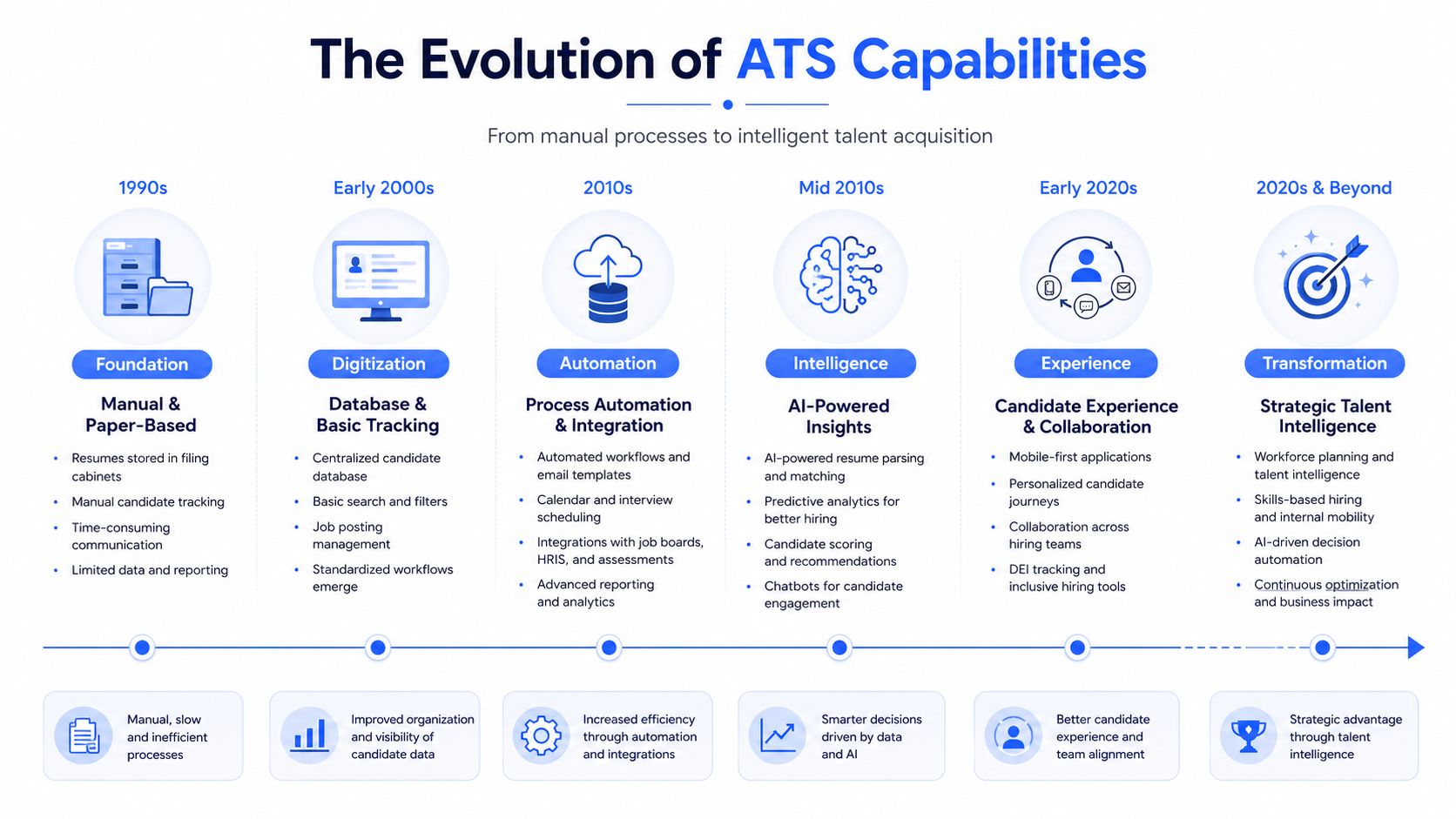
The old view of an ATS was narrow. It stored resumes, logged applications, and gave recruiters a place to search when a hiring manager wanted a shortlist. That model does not hold up in a serious enterprise environment, because the system now has to coordinate work across recruiting, HR operations, and the wider people stack.
The feature set changed because the operating burden changed. As ATS platforms began to sit between job boards, HRIS tools, interview scheduling, and approval chains, buyers started asking a different question. They were no longer comparing simple applicant storage. They were comparing how much of the hiring workflow the platform could carry without creating extra manual work.
That shift shows up in the capabilities teams use. Resume parsing, candidate matching, LinkedIn connectivity, and automated email sequences are now common parts of the product mix, and the practical reason is easy to see. When a recruiter is processing a high-volume req or trying to move candidates between stages without rekeying data, those functions keep the pipeline from stalling. Tools such as Dassh AI CV screening also reflect that pressure to reduce manual review, because screening work quickly becomes a bottleneck when the system cannot surface qualified candidates cleanly.
The buying standard widened in another way. LinkedIn's buyer guide PDF lists job posting and syndication, searchable applicant profiles, bulk communication, team collaboration, pipeline management, interview scheduling, interview scorecards, offer management, approvals, user permissions, reporting, and compliance as common capabilities. That list matters because it shows how much of the hiring process now depends on the ATS behaving like an operating system, not a filing cabinet.
The feature story is no longer about whether the system can track applicants. It is about whether candidate data stays consistent as it moves through sourcing, screening, interview feedback, offer approval, and onboarding handoff. If integrations break, if approvals live outside the workflow, or if hiring managers cannot trust what they see in the record, the ATS adds implementation debt instead of reducing it.
Core Workflow Features Every ATS Should Have
A useful ATS does more than store profiles. It gives recruiters a consistent way to move applicants from first touch to offer without losing context, and the workflow pieces have to work together rather than sit as separate tools.
The core stack
LinkedIn's buyer guide names the features that are considered foundational, including job posting and syndication, applicant search and filtering, bulk communication, team collaboration, workflow and pipeline management, interview scheduling, scorecards, offer management, approvals, user permissions, and reporting (buyer guide PDF). That list is a good operating checklist because each feature solves a different break in the process.
Job posting and syndication matter most when recruiters are handling multiple openings and don't have time to post manually across every board. Applicant profiles with search and filtering matter when the team needs to rediscover silver medalists or compare candidates by specific criteria. Bulk communication helps when hiring volume makes one-off email outreach impossible.
Where the workflow breaks
Scorecards and approvals are the pieces many teams underestimate. Standardized scorecards force evaluators to use the same rubric, which makes feedback easier to compare and harder to distort after the fact. Approval routing matters for compensation, internal transfers, and regulated roles because it keeps the process moving while preserving who signed off on what.
Shared candidate records matter more than flashy UI. If hiring managers are commenting in one system, recruiters are scheduling in another, and offer approvals happen in email, the ATS is only pretending to be the system of record.
Interview scheduling and permissions are also more important than they first look. Scheduling saves recruiter time, but permissions prevent the wrong people from seeing sensitive notes or editing data they shouldn't touch. For enterprise teams, that separation is part of defensible hiring, not just admin hygiene.
A quick test helps here. If a feature improves continuity across stages, it's probably core. If it only adds convenience without changing how the workflow behaves, it's secondary. That's the difference between a platform people tolerate and one they use.
The internal discipline matters too. Teams that want to reduce screening time often pair these workflow basics with structured intake or review tools like CV screening workflows, because the quality of the shortlist depends on what happens before a recruiter ever schedules an interview.
Integration Capabilities That Connect Your Hiring Stack
The fastest ATS in the world still fails if it can't talk to the systems around it. In enterprise hiring, integration quality usually decides whether the platform becomes a hub or another island of duplicate records.
Native connections versus patchwork fixes
The most useful integrations are the ones that keep people out of manual rekeying. A 2026 buyer checklist calls out native HRIS, calendar, job-board, and identity or SSO integrations, along with résumé parsing, stage automation, shared candidate views, and audit-friendly controls (buyer checklist). Those are not nice extras. They determine whether the ATS fits the environment already in place.
Calendar sync is a good example. If interview scheduling doesn't pull cleanly into Outlook or Google Calendar, recruiters end up acting as traffic controllers. HRIS integration matters for the same reason, because candidate data that has to be re-entered after hire creates avoidable errors and slows onboarding. SSO and identity management matter because access control shouldn't be an afterthought once the system is live.
API depth is also a real differentiator. A 2026 statistical summary says top vendors average 50+ API integrations and that mobile responsiveness reaches 88% of offerings (ATS statistics). A platform can have a clean interface and still fail if its APIs are shallow or unstable, especially in companies that need background checks, assessments, payroll handoff, or custom reporting downstream.
What to prioritize first
The hierarchy is straightforward. Start with the integrations that touch candidate flow every day, then add the ones that improve governance or reduce admin load. In most enterprise stacks, that means calendar, HRIS, identity, job boards, and core communications before anything experimental.
- Calendar and scheduling sync: Reduces back-and-forth and keeps interviewers aligned.
- HRIS connection: Preserves candidate-to-employee continuity after offer acceptance.
- SSO and user provisioning: Keeps access control manageable at scale.
- Job board and sourcing feeds: Prevents duplicate posting work and broken attribution.
- API access: Supports custom workflows and specialist tooling without rebuilding the ATS.
Mobile access deserves special attention because candidate experience starts on the phone even when the hiring team works on laptops. If the ATS interface is clumsy on mobile, application completion and scheduling both suffer.
One practical point gets ignored too often. Integration strength is not how many logos appear on a vendor page. It's whether data moves cleanly enough that recruiters don't create shadow spreadsheets to compensate. That's the sign the stack is connected.
Reporting and Analytics Features for Data-Driven Hiring
Reporting is where a lot of ATS platforms look strong in demos and weaker in reality. Dashboards are easy to show. Clean, trusted hiring data is harder to maintain once roles, teams, and sources multiply.
The reports that matter
A 2026 statistical summary says 94% of cloud ATS include real-time reporting dashboards (ATS statistics). That makes dashboards a baseline feature, not a differentiator. The more useful question is whether those dashboards answer hiring decisions or just display activity.
The reports that usually matter most are the ones tied to action. Pipeline views show where candidates stall. Source tracking shows which channels deserve budget. Time-to-hire tells leaders where process friction lives. Team-level scorecard trends reveal whether interviewers are aligned or just guessing. Diversity reporting can highlight where representation drops off, but only if the underlying data is structured well enough to trust.
Metrics that help versus metrics that decorate
| Metric Category | Specific Metrics | Business Impact |
|---|---|---|
| Pipeline Health | Stage conversion, aging in stage, drop-off points | Identifies bottlenecks and stalled reqs |
| Speed | Time-to-hire, time in stage, scheduling lag | Shows where process delay is happening |
| Source Quality | Source of hire, source-to-interview, source-to-offer | Helps reallocate sourcing effort and spend |
| Hiring Quality | Scorecard patterns, evaluator consistency | Improves decision discipline across teams |
| Compliance Visibility | Approval completion, permission usage, audit trail review | Supports governance and defensible process |
The key is to avoid mistaking visible for valuable. A dashboard that counts activity but doesn't show decision quality can create false confidence. The better systems preserve reporting continuity when teams move from spreadsheets or a legacy ATS, because leaders need historical comparisons, not just fresh charts.
If a reporting view can't be used in a hiring meeting without three caveats, it's probably not operationally ready.
That's why reporting belongs near the center of ats features evaluation, not at the end. If recruiters and business leaders can't trust the numbers, they'll fall back to anecdote, and the ATS becomes a passive archive instead of a management tool.
Security and Compliance Features That Reduce Hiring Risk
Security is easy to overstate in procurement decks. The test is whether the ATS protects candidate data, preserves decision history, and limits access in a way the business can enforce.
Controls that matter in practice
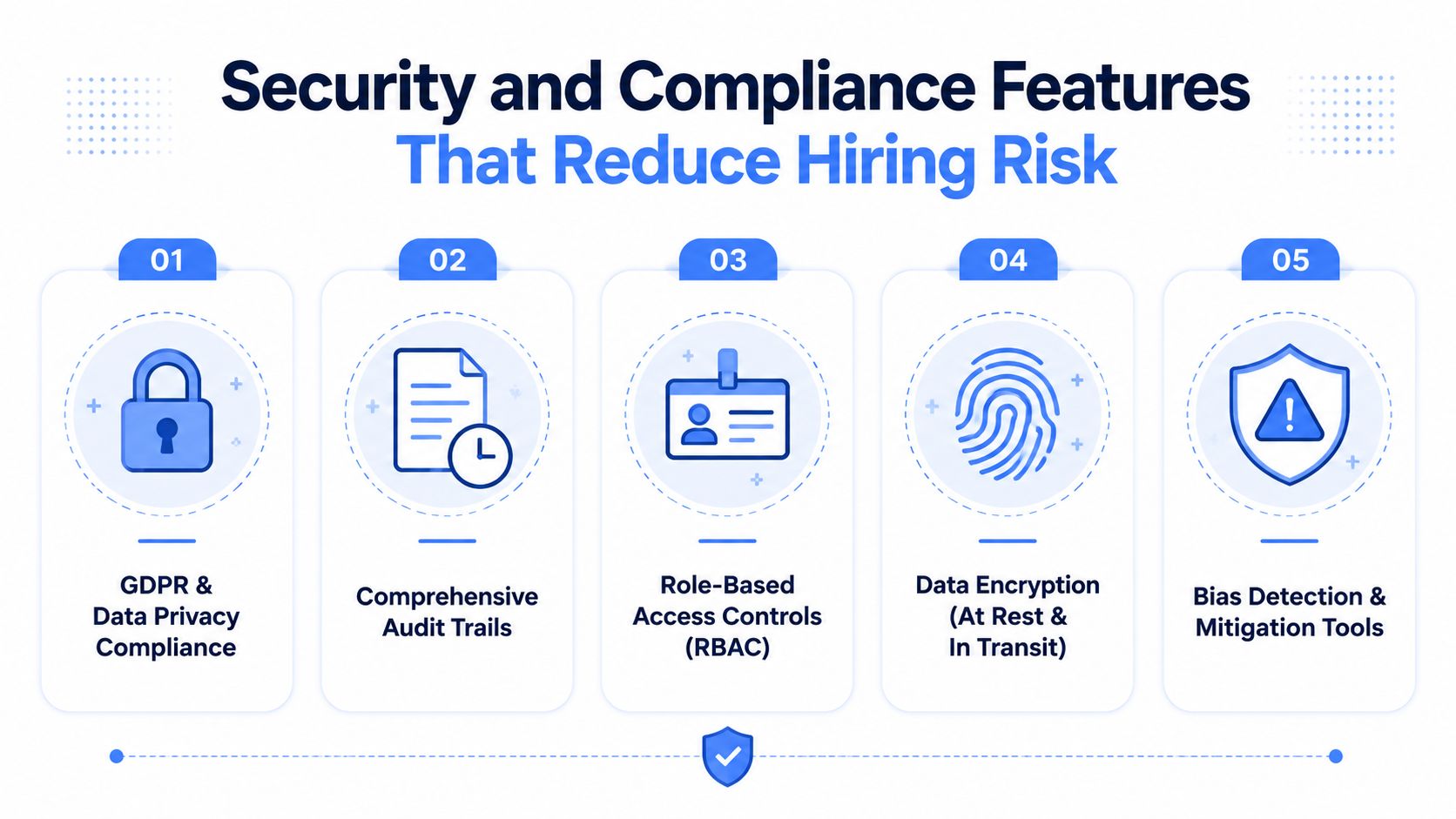
The strongest controls are the ones that leave a trace. A buyer checklist highlights audit trails, role-based access, bias-audit readiness, explainable scoring, stage automation, and shared candidate views as core requirements, alongside native integrations and identity controls (buyer checklist). That focus makes sense because regulated hiring depends on being able to show who saw what, who changed what, and why a decision moved forward.
Audit trails matter because they replace memory with evidence. Role-based access matters because sensitive compensation, performance, or diversity data should not be visible to everyone. Bias-audit readiness matters because AI-assisted screening needs more than speed, it needs governable outputs. The most useful systems make these records easy to retrieve without forcing compliance teams to reconstruct the process later.
Features that sound good but don't go far enough
Some features look reassuring but don't reduce risk unless they're connected to process. Anonymous screening can help early-stage review, but only if the team uses structured criteria after that. Accessibility support matters too, including WCAG-aligned design and mobile-friendly experiences, because candidate completion often drops when forms are hard to use, especially in high-volume hiring.
The section on candidate data security from Dassh AI's whitepaper is a useful complement for teams building a governance framework, especially where SSO, audit logs, and regional data residency are part of the buying standard (candidate data security).
Security features are also part of employer brand. Candidates notice when forms are broken, mobile flows are frustrating, or communication feels careless. Teams that treat compliance as a user-experience issue usually end up with cleaner process design and fewer exceptions later.
The best test is simple. If a control makes the process more traceable, it lowers risk. If it only sounds reassuring in a slide deck, it probably doesn't.
AI and Automation Features That Actually Deliver Results
AI in ATS software is often sold as magic. In practice, the useful versions are the ones that reduce repetitive work while still letting humans understand and challenge the output.
Useful automation does not hide the logic
Resume parsing is now standard, but the value shows up when the platform explains why a candidate surfaced. That matters because recruiters need to trust the rank order enough to act on it. Candidate matching also has to fit the role, not just the keyword pattern, or the system floods the top of the funnel with plausible but irrelevant profiles.
Automated communication sequences are valuable when they keep candidates warm without turning outreach into spam. The 2026 market summary says automated email communication sequences are built into 89% of ATS products and AI-driven candidate matching appears in 68% of platforms (industry report). Those features are useful, but only if the team sets clear rules for when automation should trigger and when a human should step in.
Where automation helps most
- Parsing and ranking: Saves recruiter time on the first pass when the volume is high.
- Scheduling support: Cuts the admin burden that slows candidates down.
- Multilingual candidate interfaces: Helps global teams reach people in the language they use. A 2026 summary says this is present in 81% of platforms (ATS statistics).
- Assessment workflows: Keep screening consistent when the job family or market changes. For teams that want to structure this area, assessment workflows are a relevant design point.
Automation is strongest when it creates consistency, not opacity. If a tool makes it easier to move fast but harder to explain decisions, it's not a clean win. That's especially true in enterprise hiring, where a shortcut that can't be audited eventually gets blocked by legal, HR, or IT.
The right posture is disciplined optimism. Use AI to compress repetitive work, keep the candidate moving, and surface patterns faster. Don't let it replace structured review, because hiring teams still need judgment, context, and accountability.
How to Evaluate ATS Features for Your Specific Needs
The wrong way to buy an ATS is to ask for the longest feature list. The right way is to weight features against the actual conditions your team operates in, because a high-volume retail operation, a regulated financial institution, and a distributed tech company do not need the same configuration.
Start with the operating model
Begin with hiring volume, geography, compliance exposure, and the number of people who touch each requisition. If one team manages 20 open jobs at a time and another team runs a few complex searches with multiple approvals, the feature priorities will look very different. Mobile access and multilingual support matter more in one context, while role permissions and approval routing matter more in another.
Use a weighted matrix
A practical scorecard usually separates the essentials from the nice-to-haves.
- Workflow fit: Does the ATS mirror how your team hires?
- Integration depth: Does it connect to the systems you already use?
- Compliance support: Can it handle your governance requirements cleanly?
- Adoption risk: Will recruiters and hiring managers use it?
- Scalability: Can the setup hold up as volume and complexity increase?
The reason this matters is simple. A feature that solves an urgent problem but creates adoption friction can still fail. A lighter feature set that people use every day can outperform a more ambitious platform that sits half-configured.
A good rule is to distinguish between operational value and administrative convenience. The first changes how hiring gets done. The second just makes a demo look smoother.
If the vendor road map matters to your team, focus on where product development is headed in integration, governance, and automation, not on cosmetic interface changes. Those are the areas that change whether the system stays usable over time. The best buying conversations stay grounded in how the platform will fit your stack six months after launch, not just on day one.
Implementation Considerations That Affect Feature Value
A feature only matters if the team can turn it on, trust it, and keep it connected to the rest of the stack. That is where implementation debt shows up, and it is the part most ATS comparisons treat too lightly.
An enterprise rollout often fails in predictable ways. The team buys for search, parsing, and dashboards, then discovers that historical reporting from spreadsheets does not map cleanly, hiring managers have not been trained on scorecards, and the HRIS handoff needs custom work. The ATS is technically installed, but the operating model is still fragmented.
Where projects get stuck
Data migration is usually the first surprise. Candidate histories are messy, old fields do not match new ones, and reporting continuity breaks when the legacy system used different stage definitions. Integration work can also uncover hidden dependencies, especially when calendar, email, identity, and downstream HR systems all need to stay in sync.
User adoption is the second surprise. Recruiters are more likely to embrace a system that shortens their day than one that promises abstract control. Hiring managers need simple, predictable actions, not a new admin burden. If the setup asks them to learn too much, they will keep giving feedback by email.
The core implementation question is not whether the ATS can do everything. It is whether the team can make the core workflow reliable without adding shadow processes around it.
That is why system interoperability matters more than feature count. A platform that fits the existing stack cleanly usually delivers value faster than a feature-rich tool that needs heavy workaround support. The hidden cost is not just consulting time, it is the trust gap that opens when people stop using the system as designed.
Teams also end up comparing specialized tools and integration layers. Dassh AI, for example, positions itself as a recruitment automation platform with ATS integrations, multilingual outreach, and shared candidate context across sourcing and screening steps, which can matter when the hiring stack needs more automation without replacing the ATS itself. The broader lesson is simple. Implementation choices decide whether the technology changes day-to-day work.
Making the Right ATS Feature Decisions
The best ATS choice is the one that matches your operating reality. A team hiring at volume needs workflow automation, clean integrations, reporting, and candidate communication that can scale. A regulated enterprise needs auditability, permissions, and structured scoring. A distributed team needs mobile access, multilingual support, and strong scheduling.
The mistake I see most often is buying for the future workflow before the current one works. Teams get excited about AI, but skip the integration work that would make the AI reliable. Or they invest in reporting, but never standardize the scorecards that would make the reports meaningful.
A practical vendor conversation should cover three things. First, how the platform handles your actual stack. Second, how quickly your recruiters can use it without workarounds. Third, whether the features create traceable decisions that legal, HR, and hiring leaders can stand behind.
If a feature doesn't improve continuity, decision quality, or candidate experience, it's probably not the feature that will change your hiring outcomes. The strongest ats features are the ones that disappear into the workflow because they work so naturally.
If you're evaluating how ATS features, integrations, and AI screening fit together in a real hiring stack, Dassh AI can help you think through the operating model, not just the software checklist. Visit Dassh AI to see how its modular recruiting automation fits alongside existing ATS platforms and supports the workflows enterprise teams run.
Authored using Outrank tool
Ready to put these ideas into practice?
See the Dassh.ai suite in action with a personalized demo.